
Follow these easy steps to access your secure FTP directory.
Step 1:
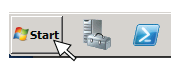
Click on your 'Start' button.
Step 2:
Click on 'My Computer'.
This should open a Windows navigator window.

Step 3:
In the navigation bar, type in the server address:
ftp://70.164.22.137/

Step 4:
Enter your username and password, which is assigned by your contact at inoLECT.

Step 5:
After logging in, you should see a listing of files in your directory. You will then be able to add or delete files as necessary. Please contact us if you have any questions or need assistance.
(225) 751-7535 or email info@inolect.com
Our base office is located at 9330 North Interstate Dr, in Baton Rouge, LA 70809. We have remote offices in Mobile, AL as well as Sales Representatives across the country.